User Interface Components
There are two types of UI components: (1) global components that are present in each and every page, and (2) page specific components that appear or change according to the page context and functionality.
Global Components
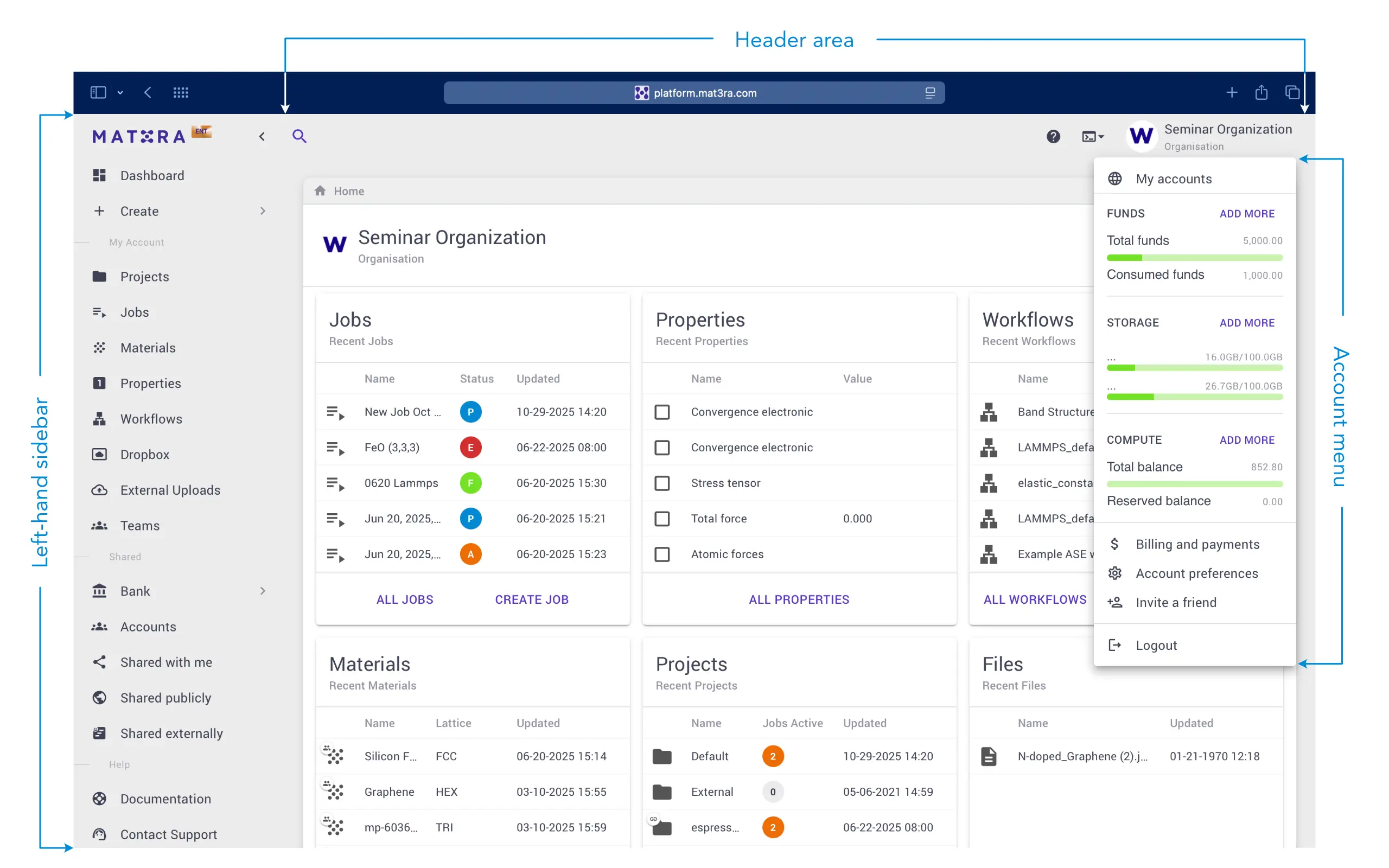
Below is the screenshot of the Exabyte platform homepage, expanded left-hand sidebar, and Account menu opened. There are three global UI components in the Mat3ra web interface:
Page Specific Components
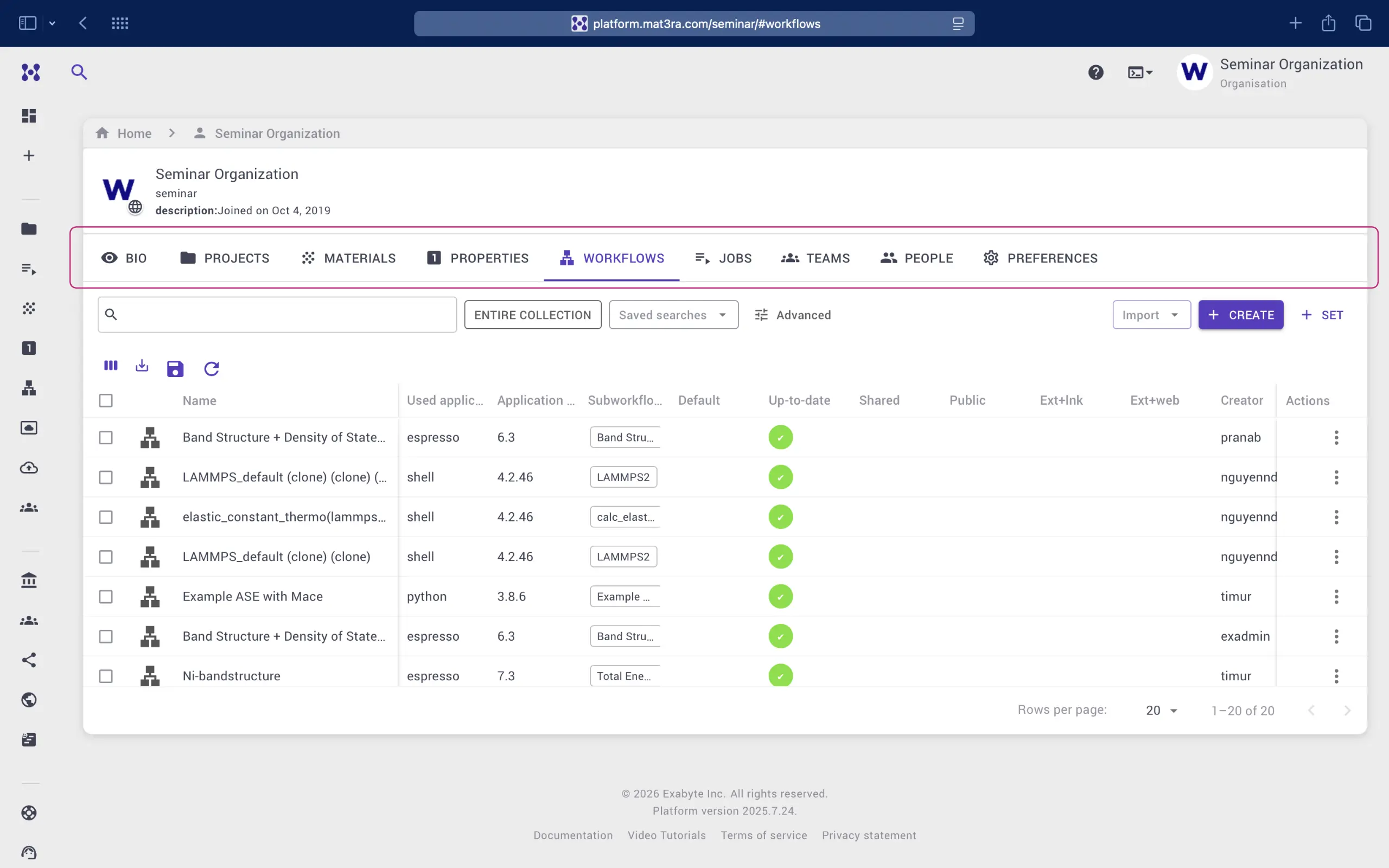
Other general user interface components are instead accessible only from specific locations, such as the Navigation Tab bar, which is present in the Materials, Workflows, and Jobs pages.
1. Link to Homepage Navigation
The Navigation page is accessible through our company logo present at all times in the top header bar. This page explains how to use Navigation to make the initial general choices on the nature of the computations to be performed on our platform.
2. Link to Dashboard
A system status "Dashboard" can be accessed via the left-hand sidebar menu. It is explained in more detail in this page.
3. Tabs Navigation
Numerous pages on our platform, and most notably the Account Profile page, contain a series of Tabs for ease of navigation within the page. Such Tabs are reviewed here.